PlanStudio | AI-Powered Financial Planning & Forecasting
×

    PlanStudiofor Connected, AI-Assisted Planning

    Turn planning cycles into decision cycles with one driver-based model that Finance approves before anything is built.

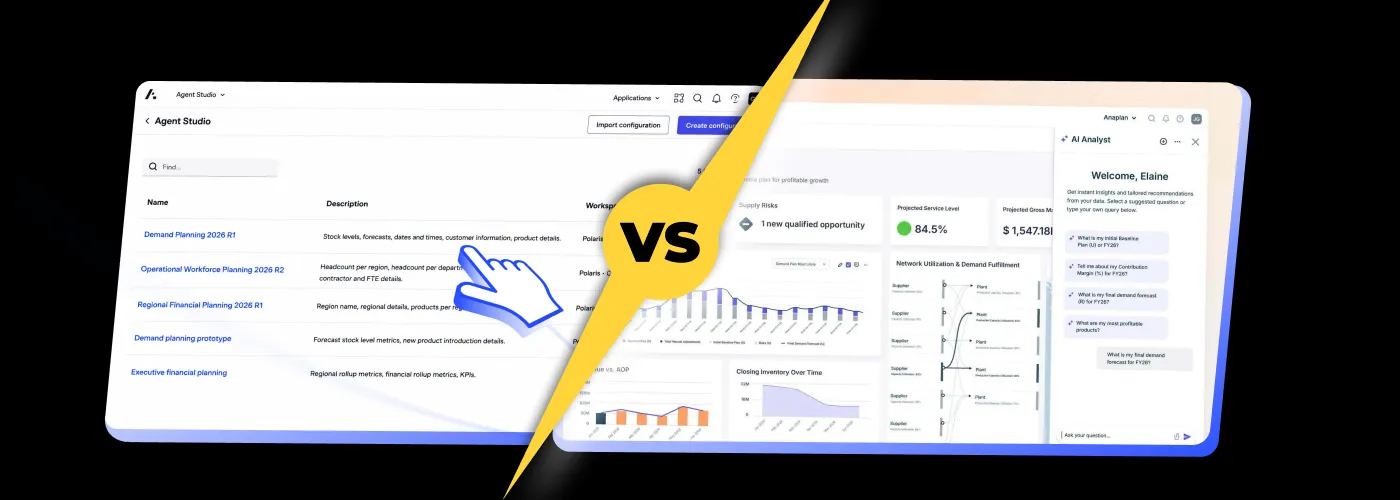
    PlanStudio AI-powered financial planning and forecasting visual
    SEE IT IN ACTION
    In minutes, go from a plain-language question to a working plan

    Watch Lyra, our AI planning agent take a single sentence, propose the model, logic and pages, then build a governed planning application step by step while Finance reviews every move.

    PlanStudio at a glance
    • 8
      Ready-made quickstarts

      Start a plan fast from eight templates: budget, forecast, headcount, opex, three statements, cash and roll-up.

    • 6
      Steps to a decision

      Go from a question to a committed decision in six steps: describe, review, build, simulate, decide, re-plan.

    • 5
      Maturity levels

      We place every client on a five-level scale, from spreadsheets to fully AI-driven planning.

    Three steps from a question to a committed planning decision

    No emailed templates. No copied workbooks. No what-if that arrives after the decision is made.

    AI-assisted planning features, built around howFinance actually works
    See the whole plan in one connected model

    One driver-based model across function, cost centre, account, business unit and month, fed by the systems you already run.
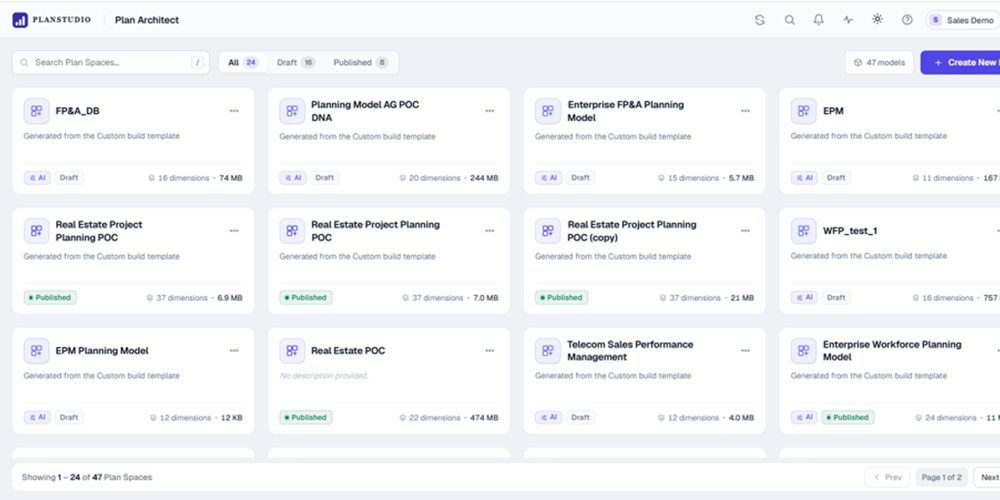
    • Ledger, HR, procurement and existing planning files feed one planning layer.
    • Plan by any dimension without rebuilding the model a second way.
    • Actuals load from source instead of being pasted in each month.
    PlanStudio dashboard
    Describe what you need, and Lyra builds it

    Start from eight quickstarts, a set of documents, a company URL, or a plain description of the plan you want.
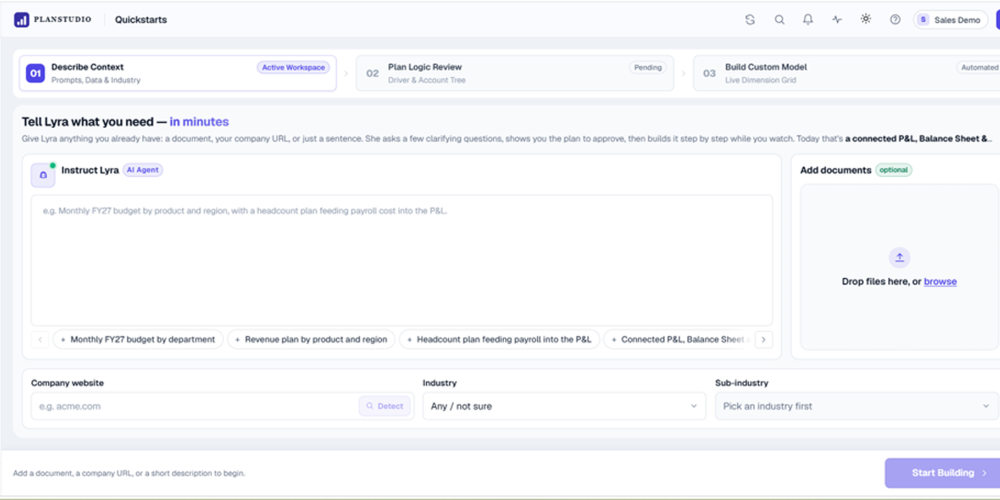
    • Lyra drafts lists first, then module categories, then planning cubes, each visible as it is built.
    • Lyra Intelligence edits dimensions and cubes; Build with Lyra creates the app pages.
    • It asks clarifying questions first, and builds only after Finance approves.
    PlanStudio dashboard
    Compare scenarios side by side, commit in one click

    Scenario Studio sets several scenarios against one target, so the trade-offs are visible in the meeting, not the week after.
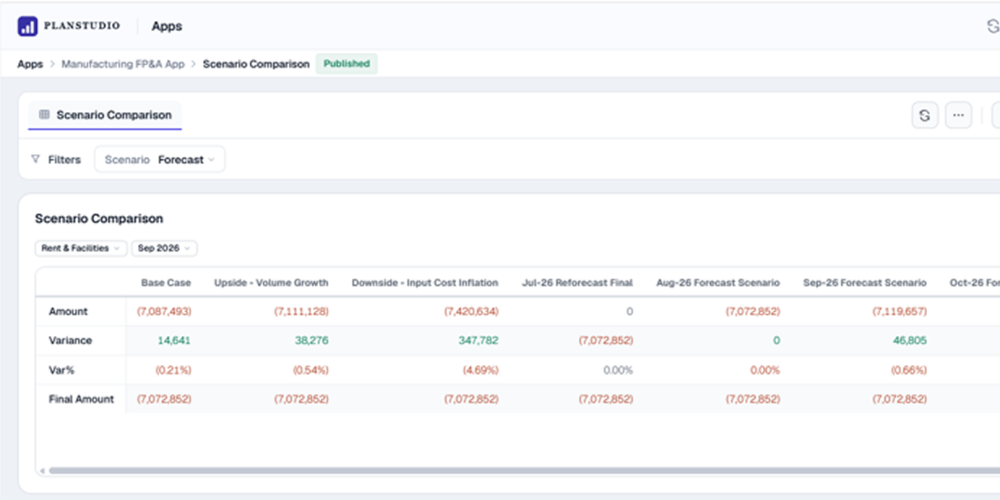
    • Create and compare scenarios while the baseline stays intact.
    • See cost base, cost ratio, gap to target and operating income move together.
    • Commit a scenario to make it the forecast of record and the next starting point.
    PlanStudio dashboard
    Run budget, forecast and re-plan cycles in one place

    Input pages with workflow replace emailed templates, so contributors plan in-app and FP&A stops chasing files.
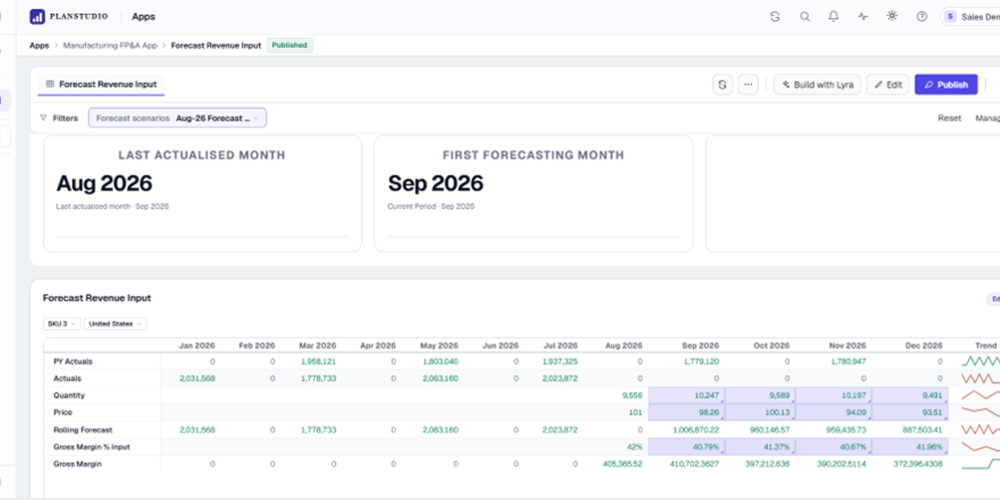
    • Budget, forecast and re-plan cycles managed from a single product.
    • Function heads plan against live numbers and see their own spend.
    • Consolidation is automatic and always current.
    PlanStudio dashboard
    A plan of record that audit can follow

    Role-based access, approval workflow and a cell-level Activity Ledger keep one governed plan.
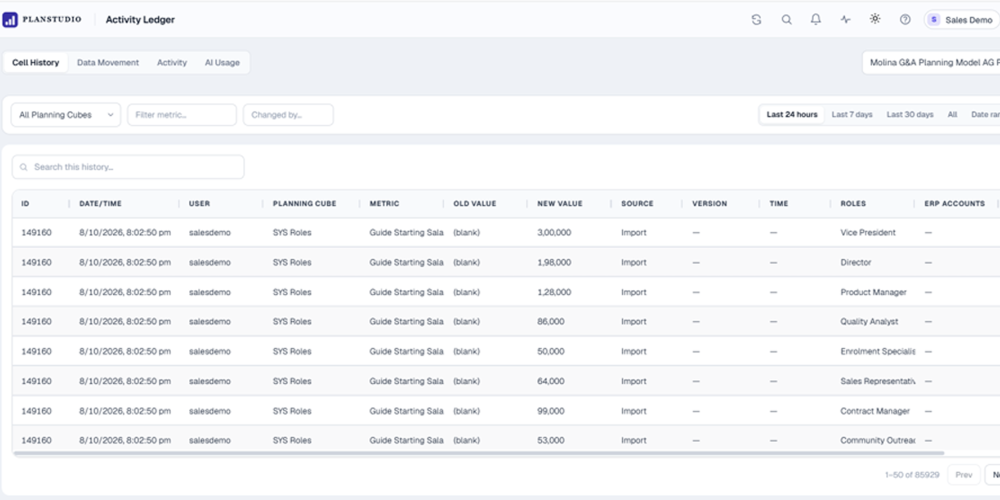
    • Every typed, pasted, imported or breakback change is recorded by user and time.
    • Calculated cells rebuild from their inputs, so formulas stay reproducible.
    • Versioned sign-off keeps one plan the CFO can defend to the board.
    PlanStudio dashboard
    See planning move at the speed of your business, in your own numbers

    Bring one cost domain and one real question. We will place you on the maturity curve and show a connected, driver-based plan running on your data.


    Unsere neuesten Überlegungen

    Fill the form

    Loading form...

    Mit unseren Experten sprechen

    Ankit Rana

    Ankit Rana

    Chief Technology Officer (CTO)

    LinkedIn
    Bablu Chakraborty

    Bablu Chakraborty

    Head - Data and Analytics

    LinkedIn